Multi-Tenant
Overview
Multi-tenancy (SaaS) means one system serves several customers (tenants) at the same time. Each tenant has its own database, so the data is physically isolated and tenants do not affect each other. The current tenant is resolved from the request host, and each tenant can be given a different set of menus.
Isolation Scope
- Database: one database per tenant; tenant data stays in that database
- Menus: each tenant is assigned the menus it may access
- File storage: uploads are stored in a directory per tenant code
- Cache and locks: memory cache entries, Redis keys and distributed locks are prefixed with
tenant:{code}:
Usage
Enabling Multi-Tenancy
Add the AddEasyAdminBlazorMultiTenant() extension method in Program.cs to automatically enable multi-tenancy:
builder.AddEasyAdminBlazor(new EasyAdminBlazorOptions { ... })
    .AddEasyAdminBlazorMultiTenant();
Tenant Identification
The system automatically identifies the current tenant using the request's Host (domain name). Each tenant is bound to a unique domain, for example:
https://tenant1.yourdomain.com→ Identified as tenant1https://localhost:7230→ Development environment distinguished by port
The tenant's Host field supports three formats: localhost:7230, https://localhost:7230, http://localhost:7230.
Adding a Tenant (Admin Perspective)
- Log in to the system admin console and navigate to the "Multi-Tenant" module.
- Click the "Add" button and fill in the following in the dialog:
- Basic Settings: Tenant code (unique identifier, e.g.,
vip), domain name, database type, connection string, name, description - Function Menu: Assign accessible menus to the tenant
- Basic Settings: Tenant code (unique identifier, e.g.,
- Click "Save", and the system:
- Creates a tenant record (in the master database)
- Creates the tenant's admin role and initial admin account in the database
- Synchronizes the selected menus to the tenant's database
- Automatically creates tables (
UseAutoSyncStructure)
Editing a Tenant
- Find the target tenant and click the "Edit" button.
- Modify basic information or adjust menu permissions.
- Menu changes are automatically synchronized to the tenant's database.
- When the database type or connection string is changed, saving immediately discards the cached database connection for that tenant. The new configuration takes effect from the next access onwards — no application restart is required. The old connection is not released right away (requests still using it are not interrupted); it is reclaimed by the connection pool once it becomes idle.
Multi-instance deployment note: the connection cache lives in the process, so a configuration change only switches the current process immediately. Other processes pick up the latest configuration when their own tenant connection is reclaimed and rebuilt (after roughly 3 minutes of idleness); restart the other instances if immediate consistency is required.
Deleting a Tenant
- Select the tenant(s) to delete (multiple selection allowed), and click "Delete".
Tenant Login
Tenants access the system via their own domain, using the automatically generated admin account created during setup. Default password format: {tenantCode}123 (e.g., vip123).
File Isolation
When multi-tenancy is enabled, uploaded files are automatically stored in directories segregated by tenant code: wwwroot/uploads/{tenantCode}/yyyy/MM/dd/.
Interface Description
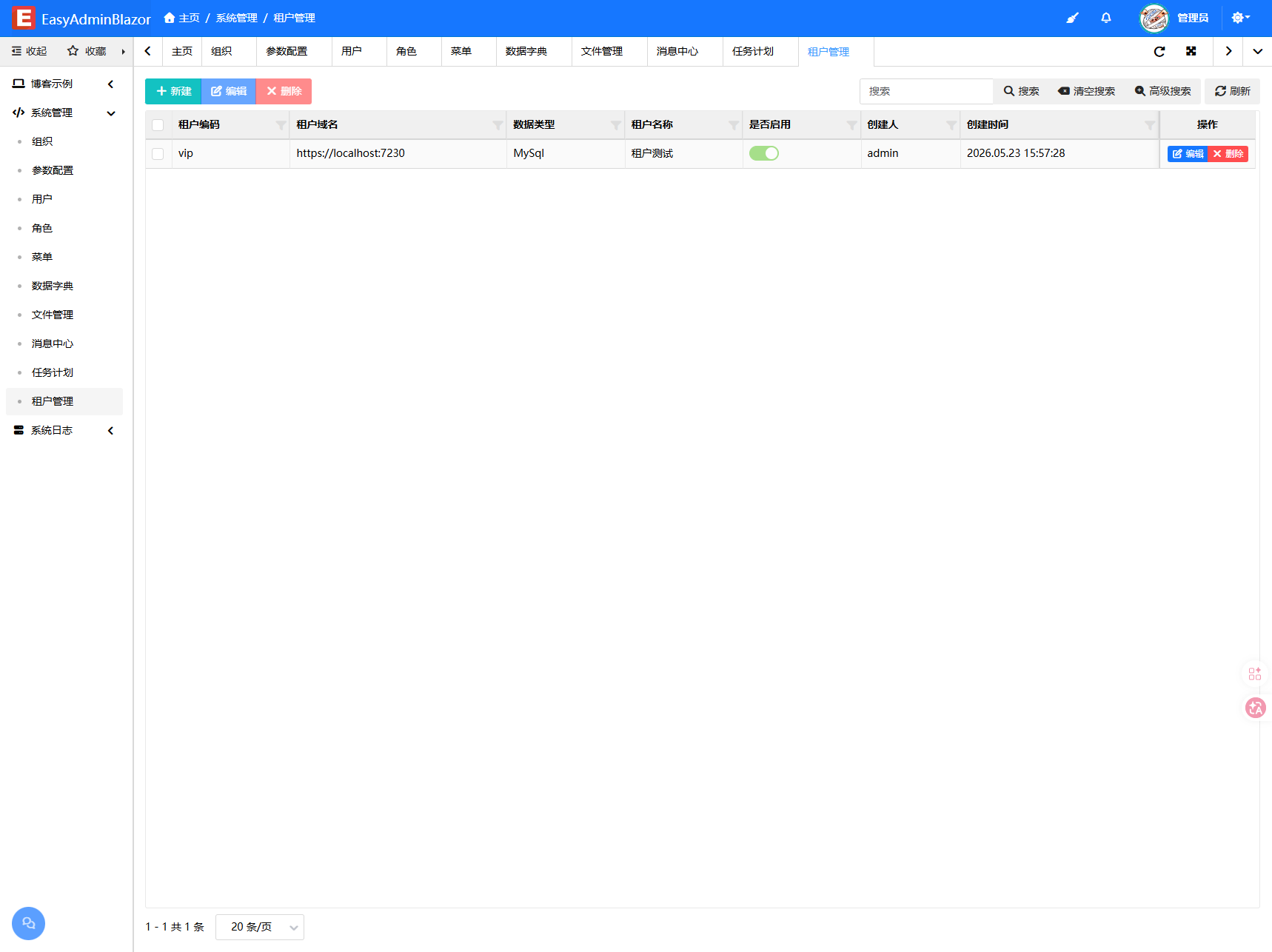
Tenant List
- Tenant Code: Unique identifier
- Tenant Domain: Bound Host
- Database Type: Type of database used (each tenant uses its own database; the
maintenant uses the main database) - Tenant Name: Display name
- Enabled: Enabled / Disabled
- Created By / Created Time: Operation audit information
Edit Dialog
Contains two tabs:
- Basic Settings: Code, domain, database type, connection string, name, description, enabled status
- Function Menu: Menu tree for permission assignment (selecting a child menu automatically selects its parent menus)
- Host-only menus (tenant management, error logs, scheduled tasks) do not appear in this tree and cannot be assigned to tenants; if an existing tenant was granted one before, edit and save it once to remove it from the tenant database
Cache and Lock Isolation
In-memory cache, Redis keys and distributed locks are namespaced with a tenant:{code}: prefix, so tenants never share or clash on cache entries and locks.
Related Entities/Services
SysTenant— Tenant entityITenantService/MultiTenantService— Tenant servicesFreeSqlCloud— Multi-tenant database dispatchingMainOrmHandle— Master database ORM handle