Say goodbye to front-end/back-end separation
Built on .NET 10 and Blazor Server, EasyAdminBlazor is designed for .NET developers who need to deliver admin systems quickly. It provides ready-to-use administrative features out of the box, helping you write less repetitive code and spend more time on the business logic your clients actually need.
Demo account: demo/demo


# Install template package
dotnet new install EasyAdminBlazor.Templates

# Create a project from template
dotnet new easyadmin -n MyProjectName

# Enter project and run
cd MyProjectName
dotnet run
Run the free NuGet package first · buy the source license when you need it
Why choose EasyAdminBlazor?
AI can already write code — so why still buy EasyAdminBlazor?
AI is great at generating concrete business logic — once your project's architecture, permissions and security are already right.
Authentication, authorization, data permissions, CRUD, multi-tenant, file management, logging, background jobs, printing, Redis, SignalR, security and project conventions — built in and validated by real projects.
AI can write code for you, but it cannot hand you a complete, battle-tested infrastructure.
AI writes your business code; EasyAdminBlazor handles your project infrastructure.
AI + EasyAdminBlazor = faster project delivery
Click here to see how to combine AI to complete inventory management in 6 hours
From one entity to a complete business module
Don't rebuild backend infrastructure for every project you take.
Build once. Reuse for every project.
Spend your time on real business requirements.
Entity → Full CRUD, automatically
Stop writing CRUD from scratch for every project or module.
- Entity fields and types detected automatically
- List, search and edit pages generated in one go
- Select, Switch, DatePicker and more auto-matched
- Menus and button permissions generated automatically
- AI-assisted refinement of generated code
The code generator is enabled in local development only; there is no generator entry in production.
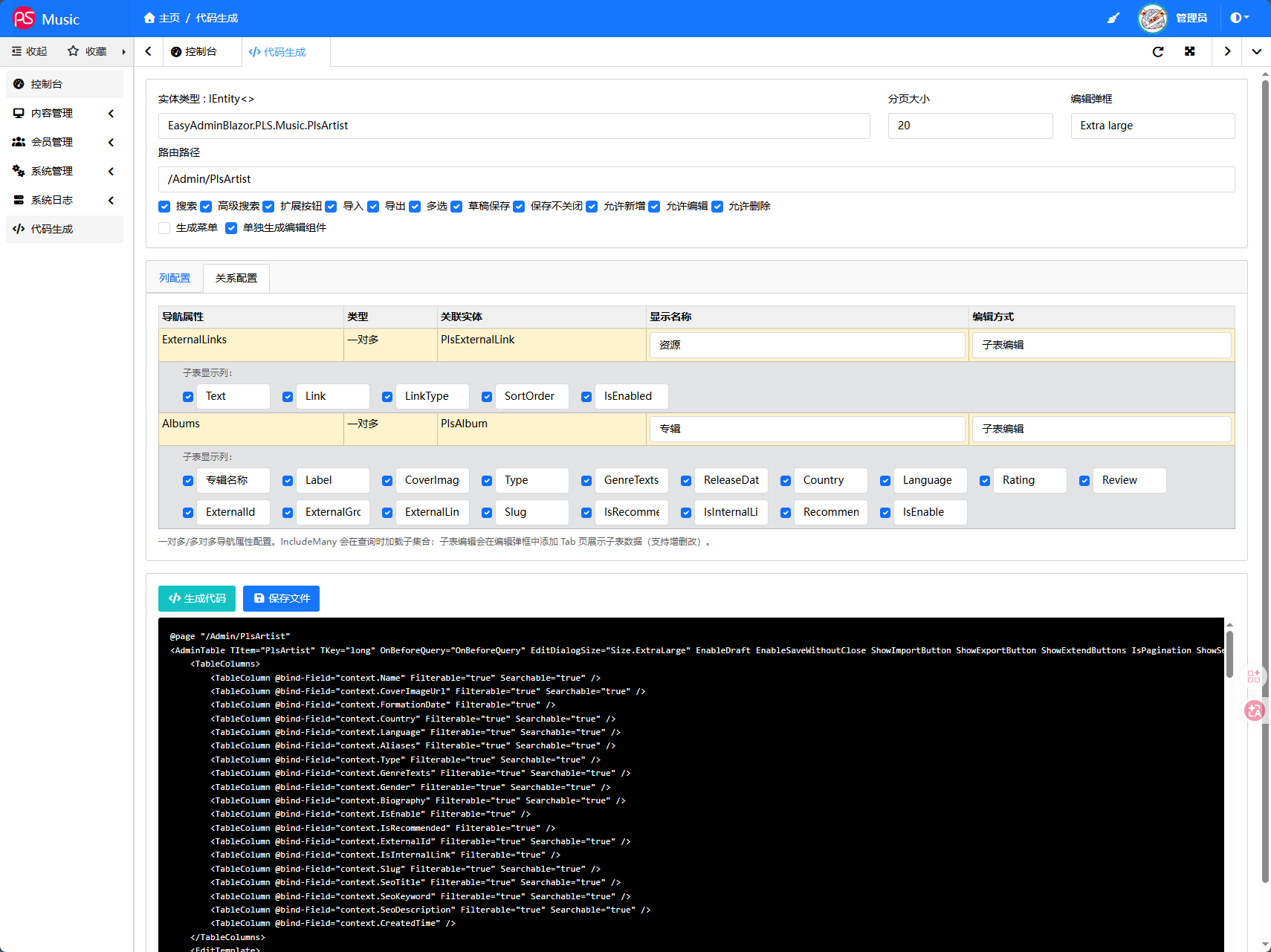
Code Generator: full CRUD generated from your entity
AI + EasyAdminBlazor: faster business development
AI writes the business; the framework keeps architecture, permissions and security safe.
- Project conventions & Skills so AI follows the framework's conventions
- Ready-to-use assistant configuration for ChatGPT, Cursor and Claude
- Works with the Code Generator — jump from generated code straight into business logic
AI + EasyAdminBlazor Skills + Code Generator + Production Infrastructure = Faster Delivery
Orders, reports, business documents — design visually
Drag-and-drop templates; print orders and reports right away
- Headers/footers, tables and two-column layouts
- Supports one-to-many business data like orders
- Built-in print on tables; PrintService callable anywhere
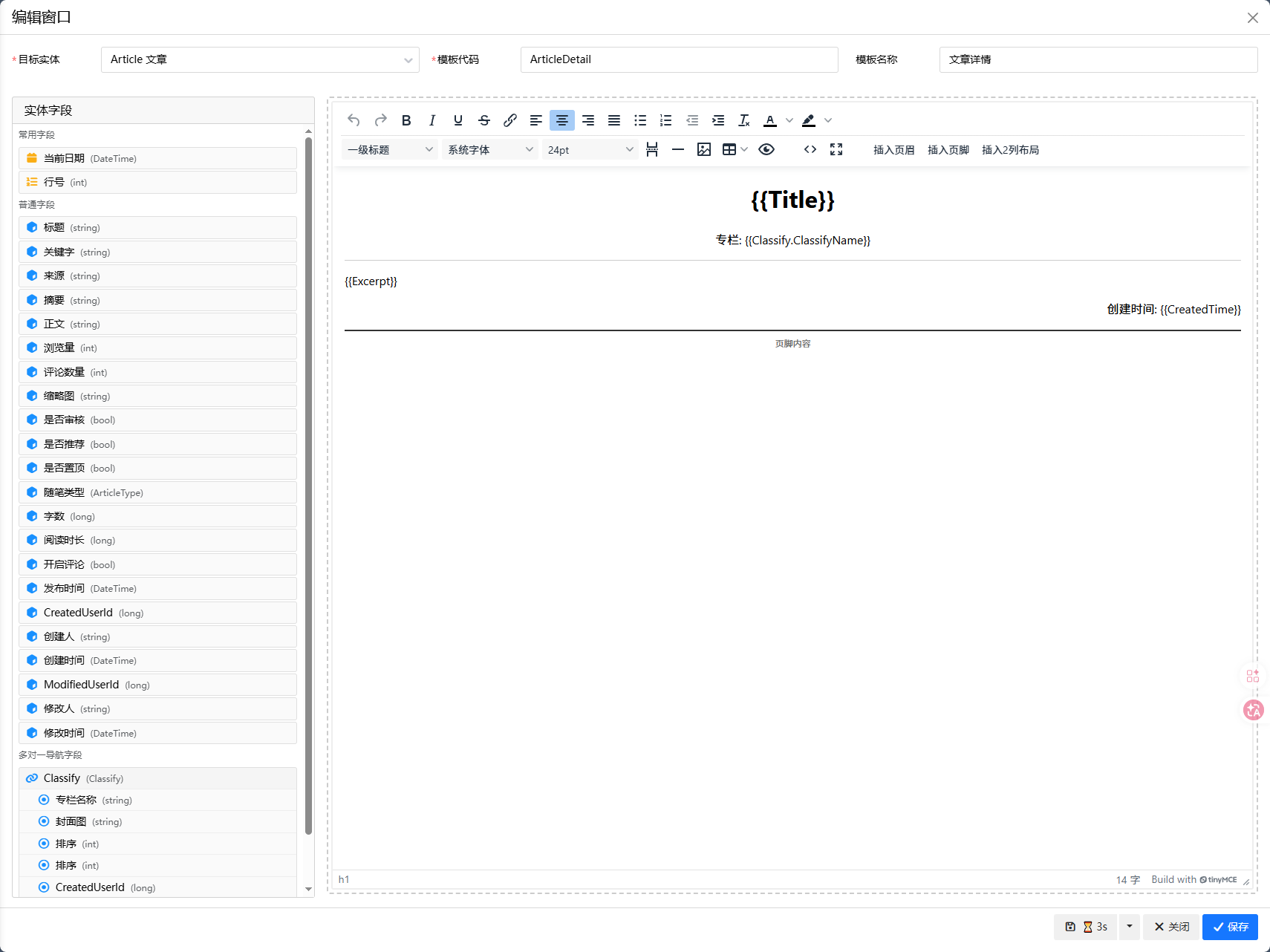
Visual print designer: WYSIWYG templates for orders and documents
Proven in real commercial projects
This is not a framework that only exists in a demo.
The author uses EasyAdminBlazor for his own development, freelance and project delivery.
“EasyAdminBlazor is not a toy. In the past year, I have used it to develop websites for 10+ formal clients, and the projects I have done with it exceed 20. I use it myself every day, using it for freelance work and project delivery.”
— EasyAdminBlazor author
Recent release highlights
Admins click “Check for updates → Upgrade now” and the system stops the service, backs up, replaces files and runs health checks. Per-version incremental packages are triple-verified (SHA256 + file hashes + baseline hash); a failed step only rolls back that step. Uploads, logs, keys, configuration and the database stay untouched, and users remain signed in.
Edit operations automatically record field-level changes (old → new), with DiffPlex inline highlighting for long text and no truncation. The edit dialog shows the record's change history by entity type + key, so every change is traceable.
Deletes are soft only (IsDeleted), and lists and queries automatically filter deleted rows. A toolbar toggle opens the recycle bin, where records can be restored in bulk or permanently deleted with a confirmation — an accidental delete no longer means data loss.
Built-in palette with preset theme colors, one-click switching and remembered preferences; configurable default color that flows through buttons, menus, tabs, form focus and more. Rebrand per client in seconds.
Design order, report and document templates by drag-and-drop, including two-column layouts; tables get a built-in Print button — select and print, or call PrintService from anywhere.
Generate complete CRUD pages visually in local development and ship a management module minutes after writing your entity; no API code, no front-end separation — CRUD in a few dozen lines. Less repetitive work, more time for business logic.
Never lose input on an accidental close: drafts auto-save every 30 seconds and restore intelligently; save-without-close keeps long forms flowing smoothly.
Server-side XSS sanitization, fail-closed data permissions, chat identity validation and server-side write permission checks, plus login throttling, CAPTCHA and PBKDF2 encryption — ship with confidence.
Core and extensions are fully decoupled — install only what you need: multi-tenant SaaS, real-time chat, scheduler, Redis, FusionCache, mail, rich text, WeChat Pay. No bloat, no debt.
Actual development time varies by project complexity and requirements.
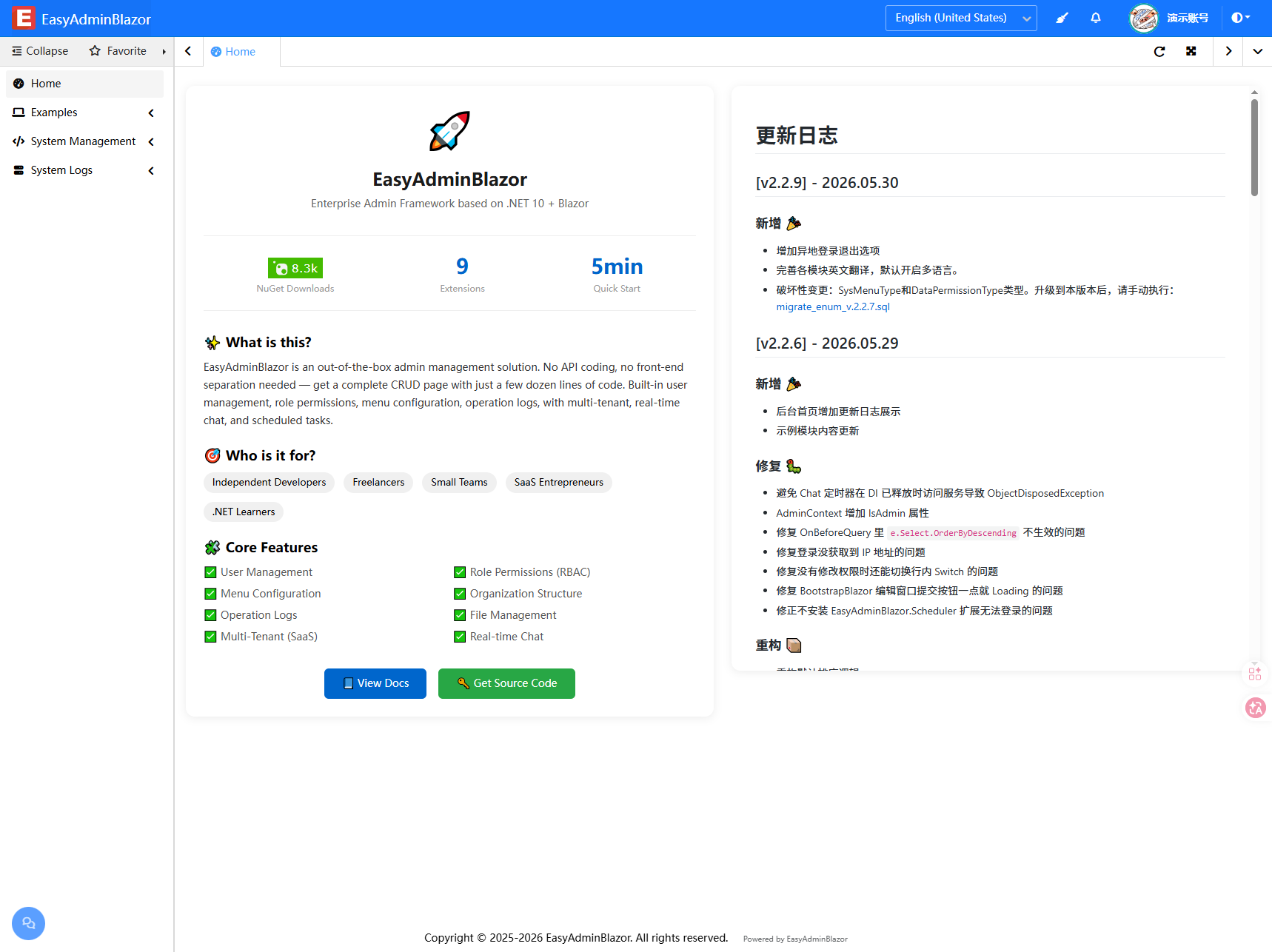
✨ Core Features
All baseline admin capabilities work out of the box; enterprise capabilities extend on demand.
| 🧩 Basic Modules | |
|---|---|
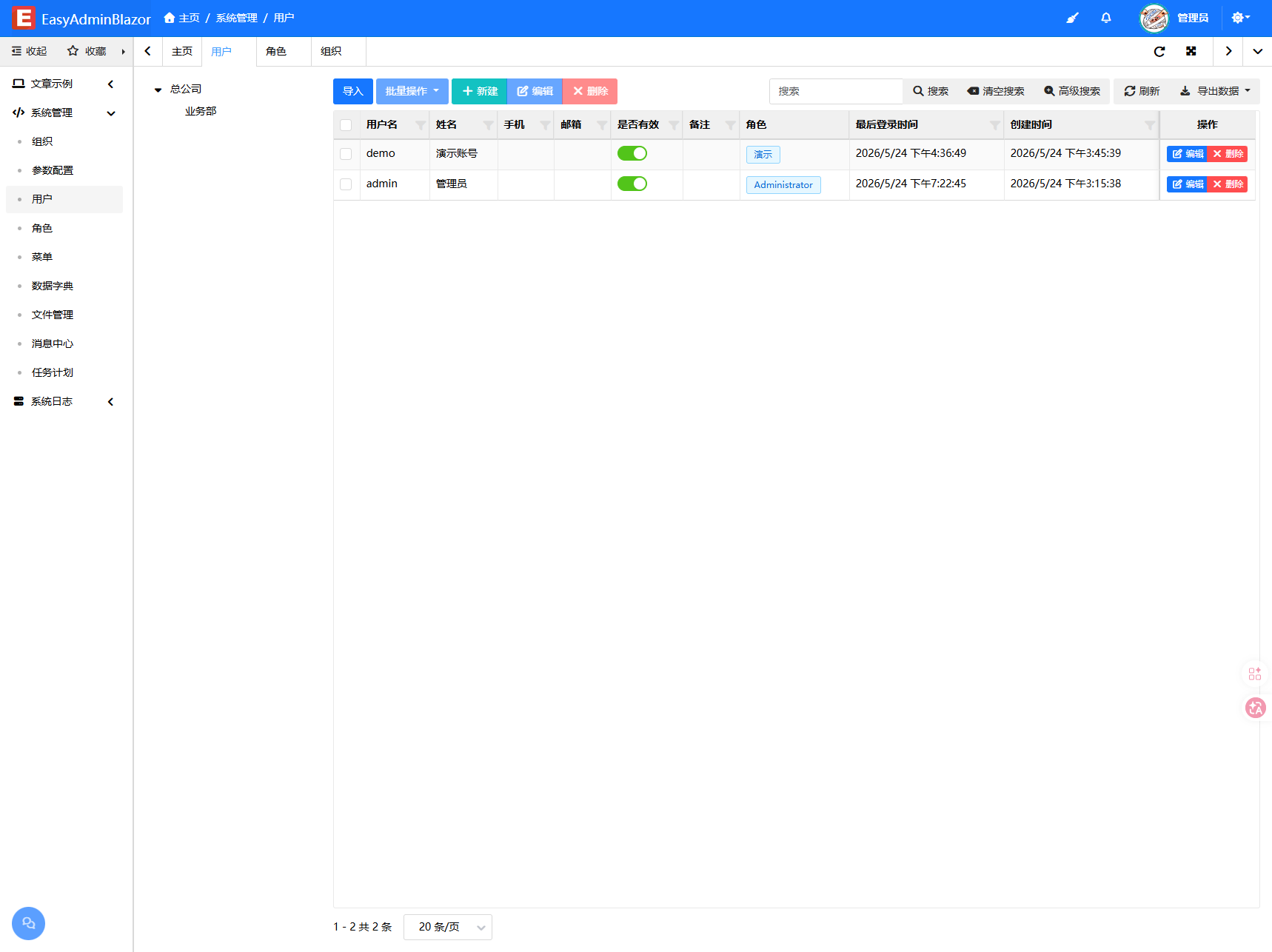
| User Management | CRUD, status management, multi-device login detection, bulk role/department assignment and password reset |
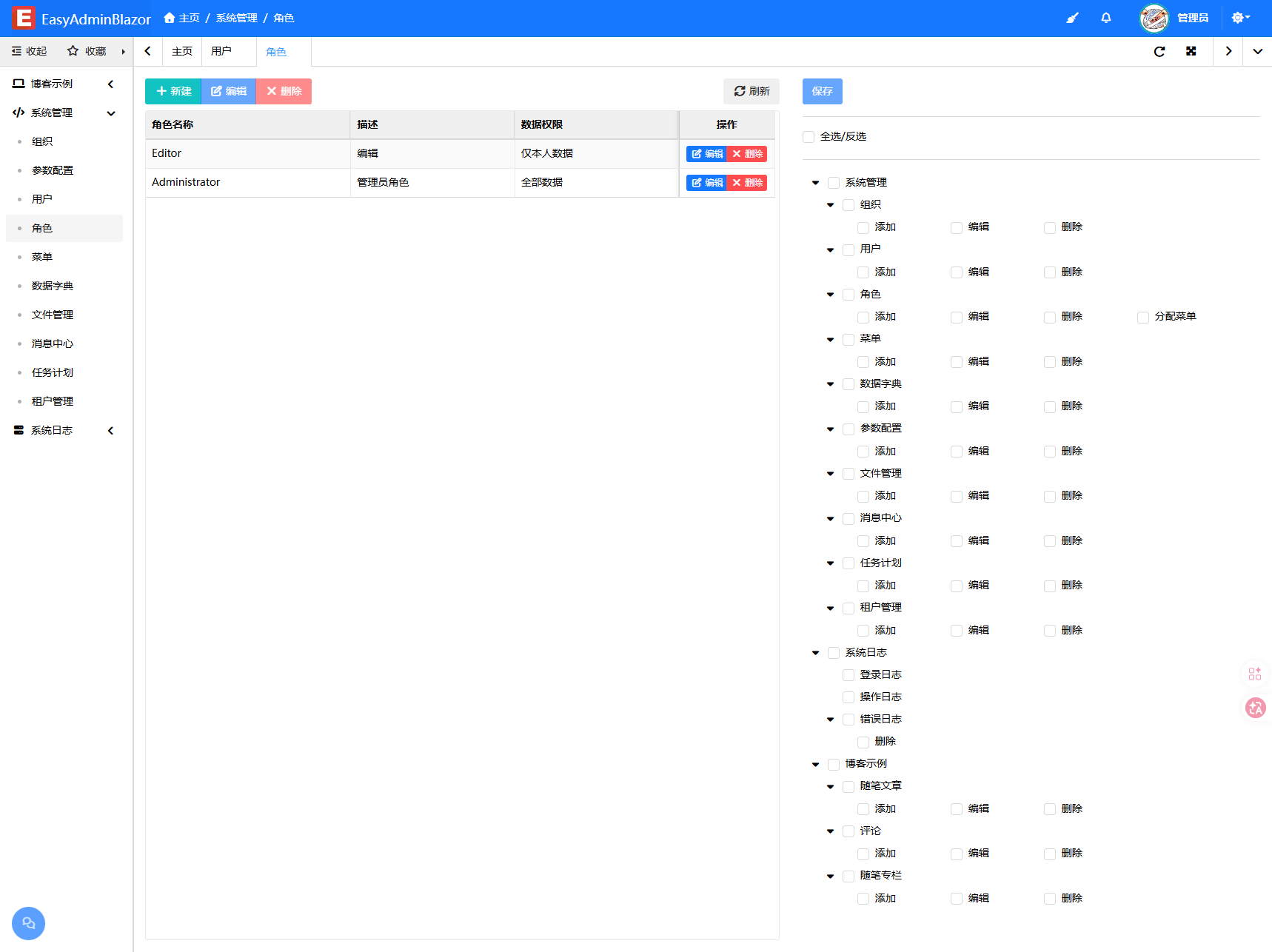
| Role Management | Role-based permission assignment, administrator flag, delete protection for referenced roles |
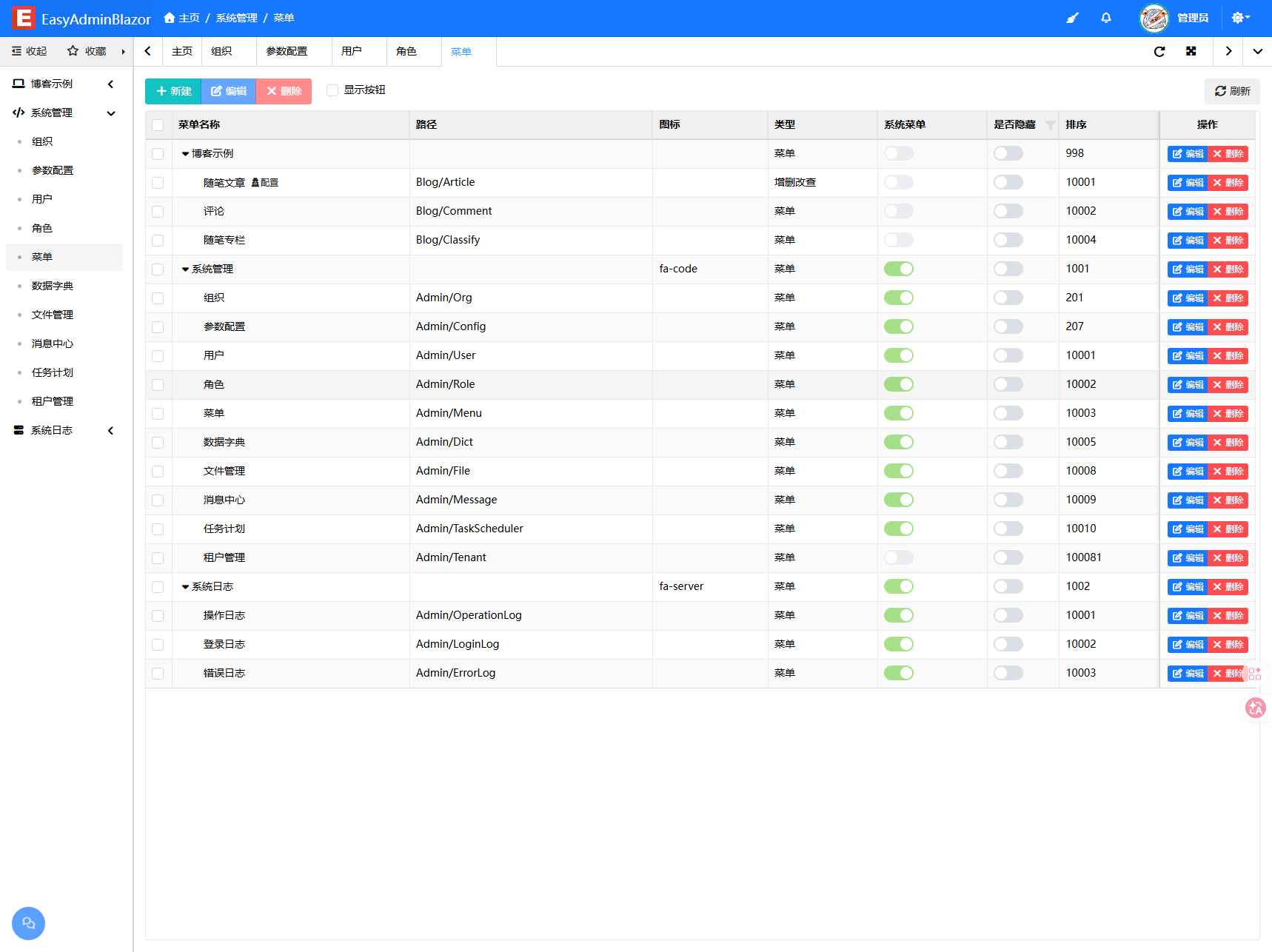
| Menu Management | Unlimited menu tree, button-level permissions, visual configuration, menu favorites and visibility control |
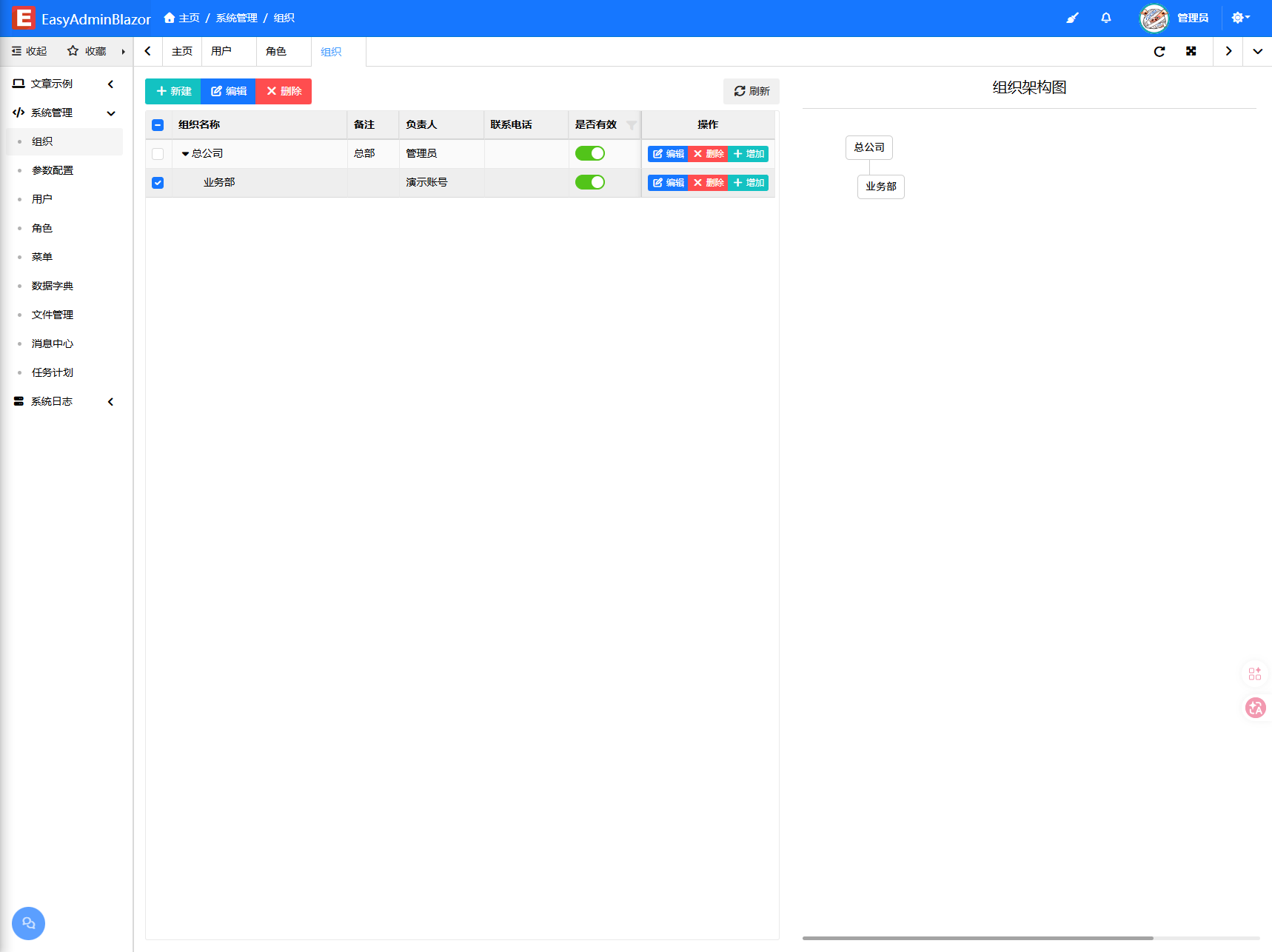
| Organization | Tree departments, multiple organization types (group/company/department/supplier), owner binding, data-permission isolation and organization chart |
| Configuration Management | Dynamic system settings stored in the database, with centralized third-party service parameters |
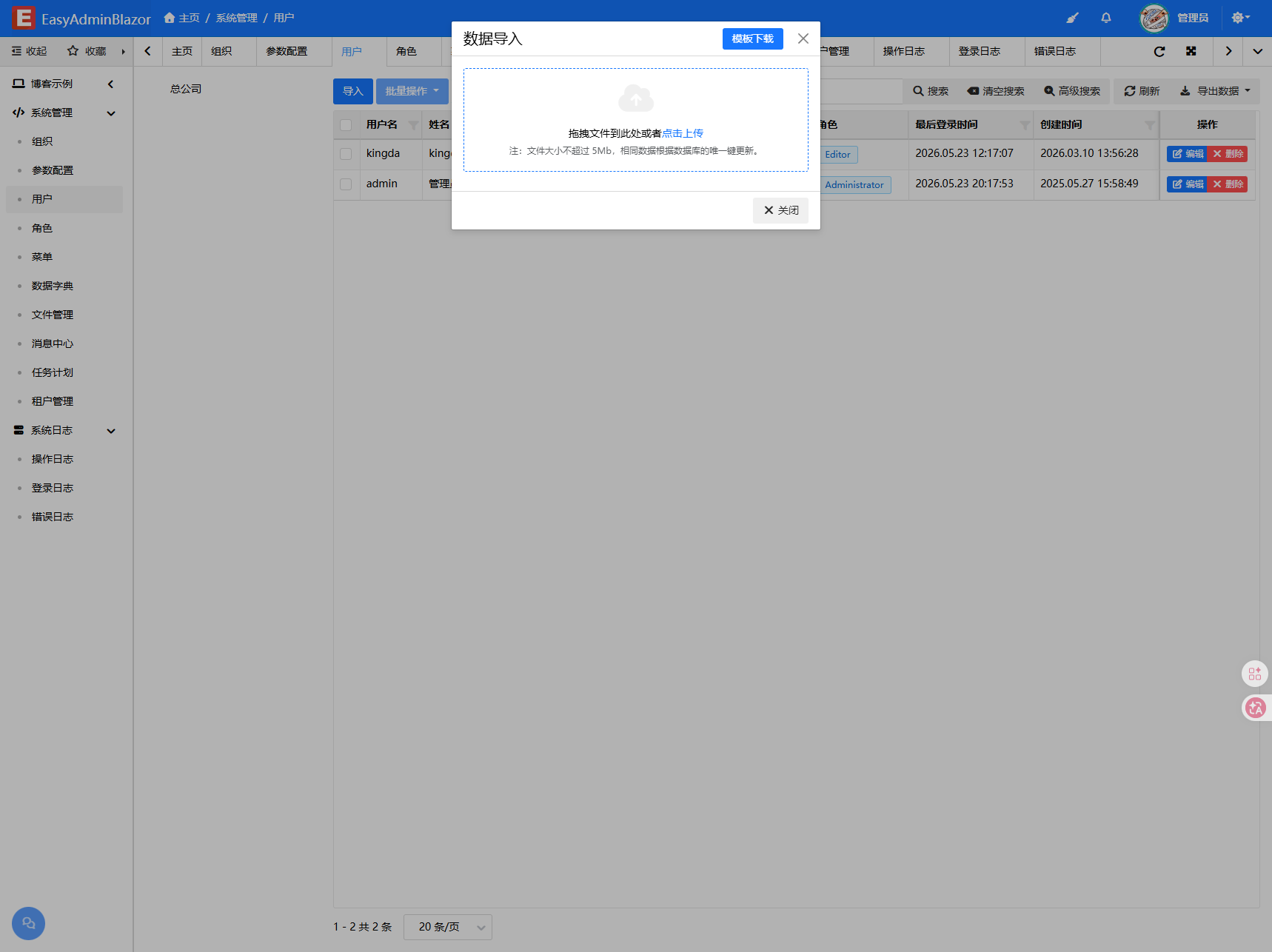
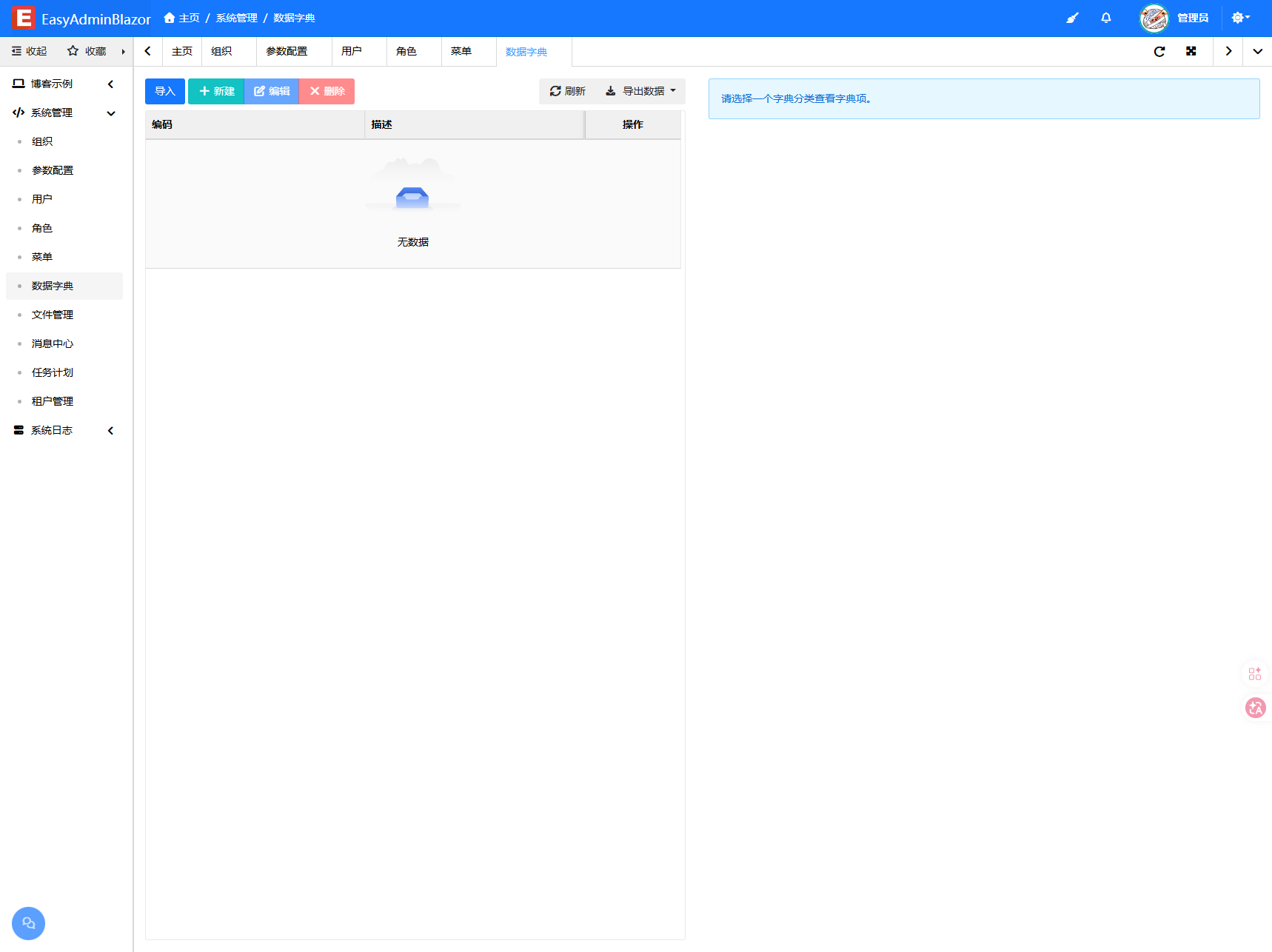
| Dictionary Management | General dictionaries with dropdowns, multi-select and bulk import/export |
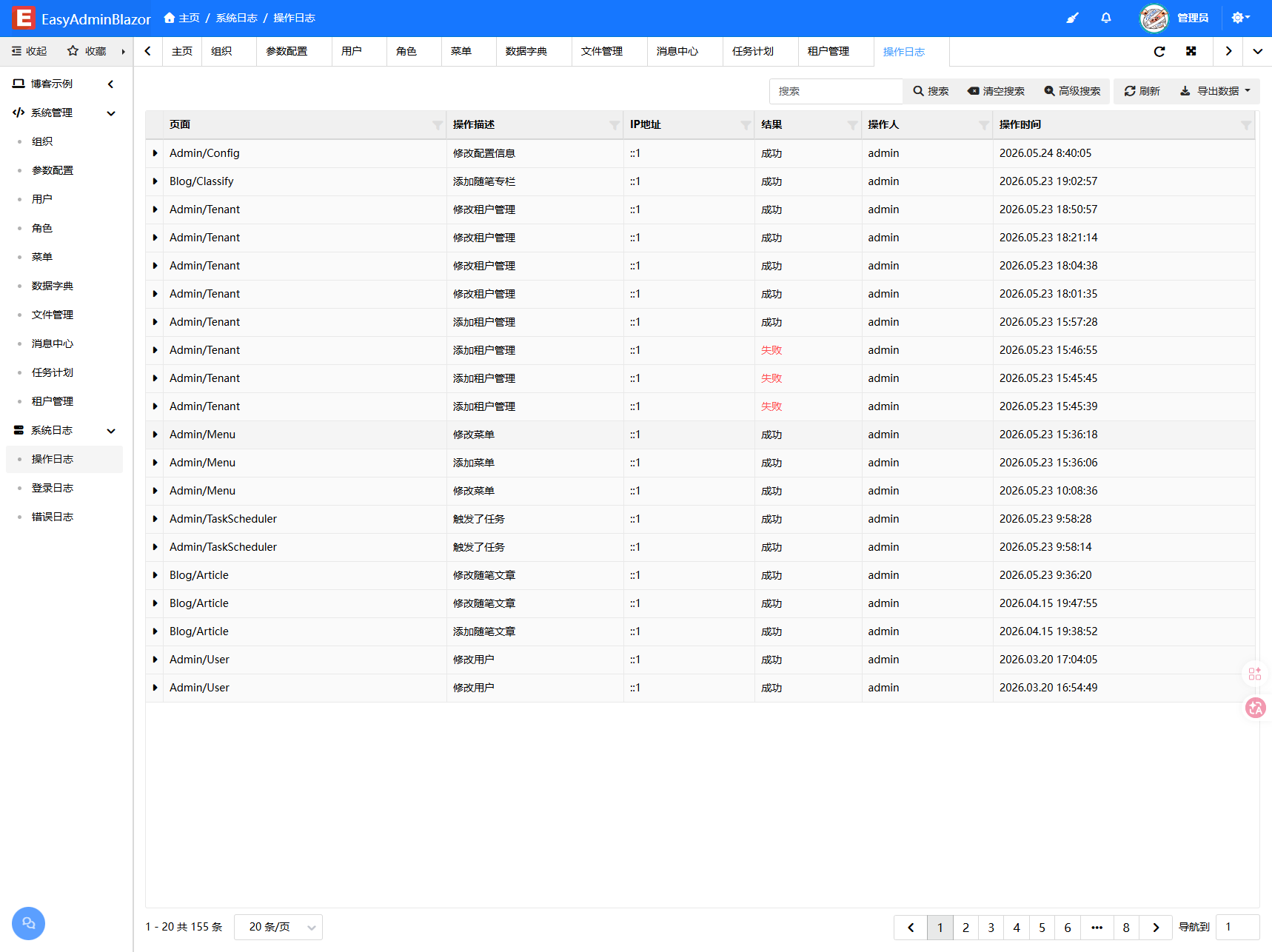
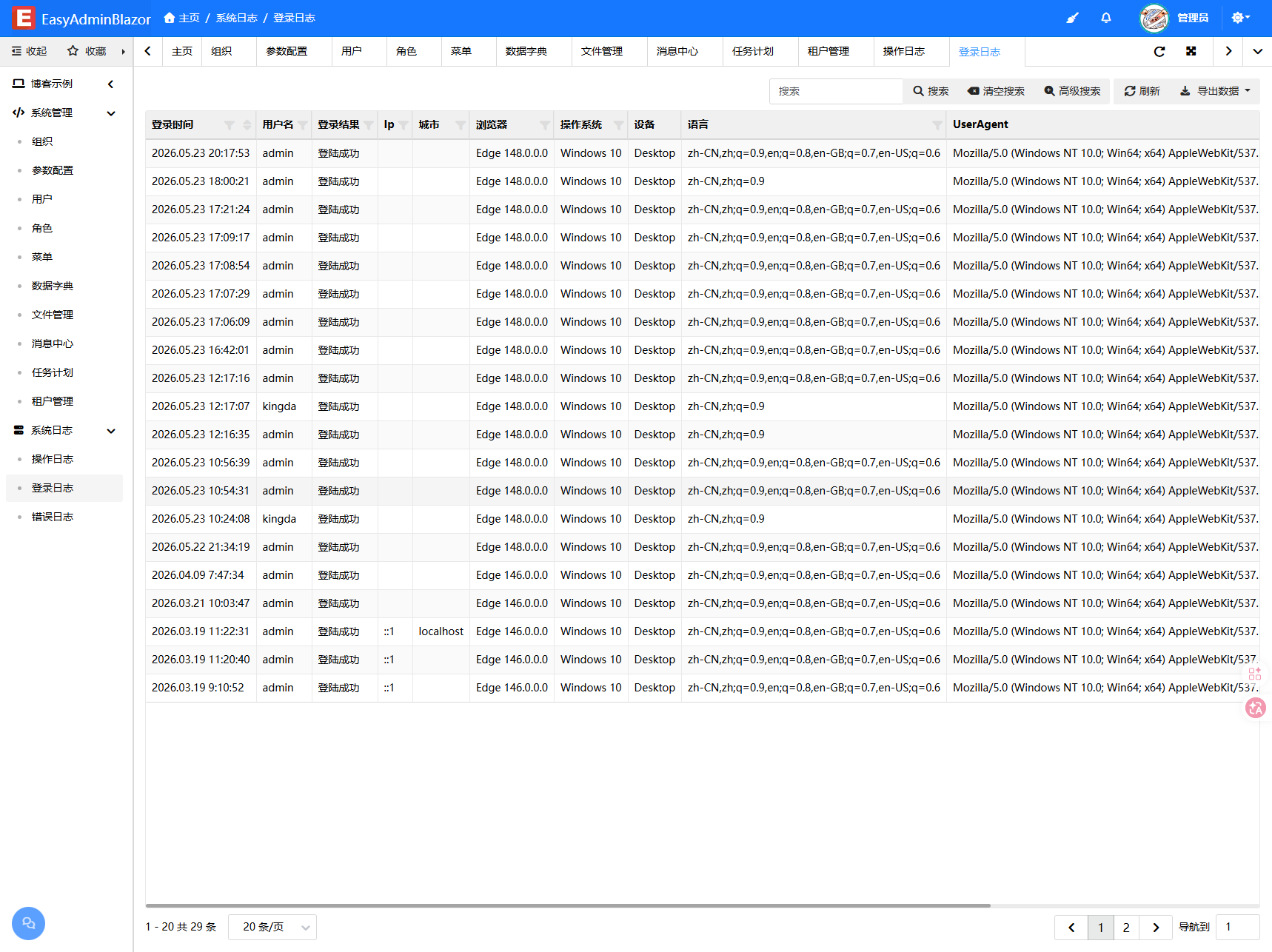
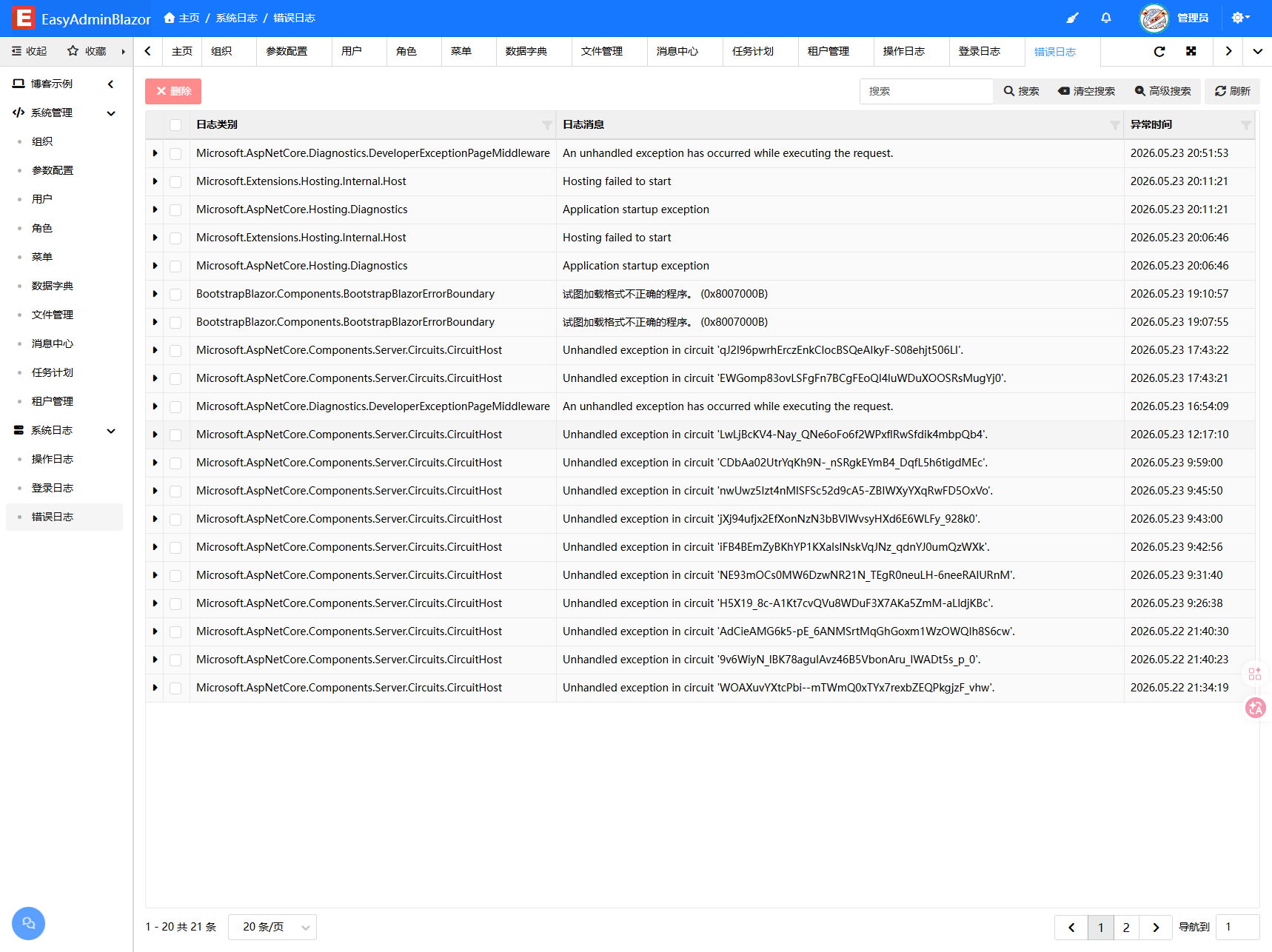
| Log Management | Operation logs (field-level change details), login logs (IP/city/browser/device) and error logs (TraceId) |
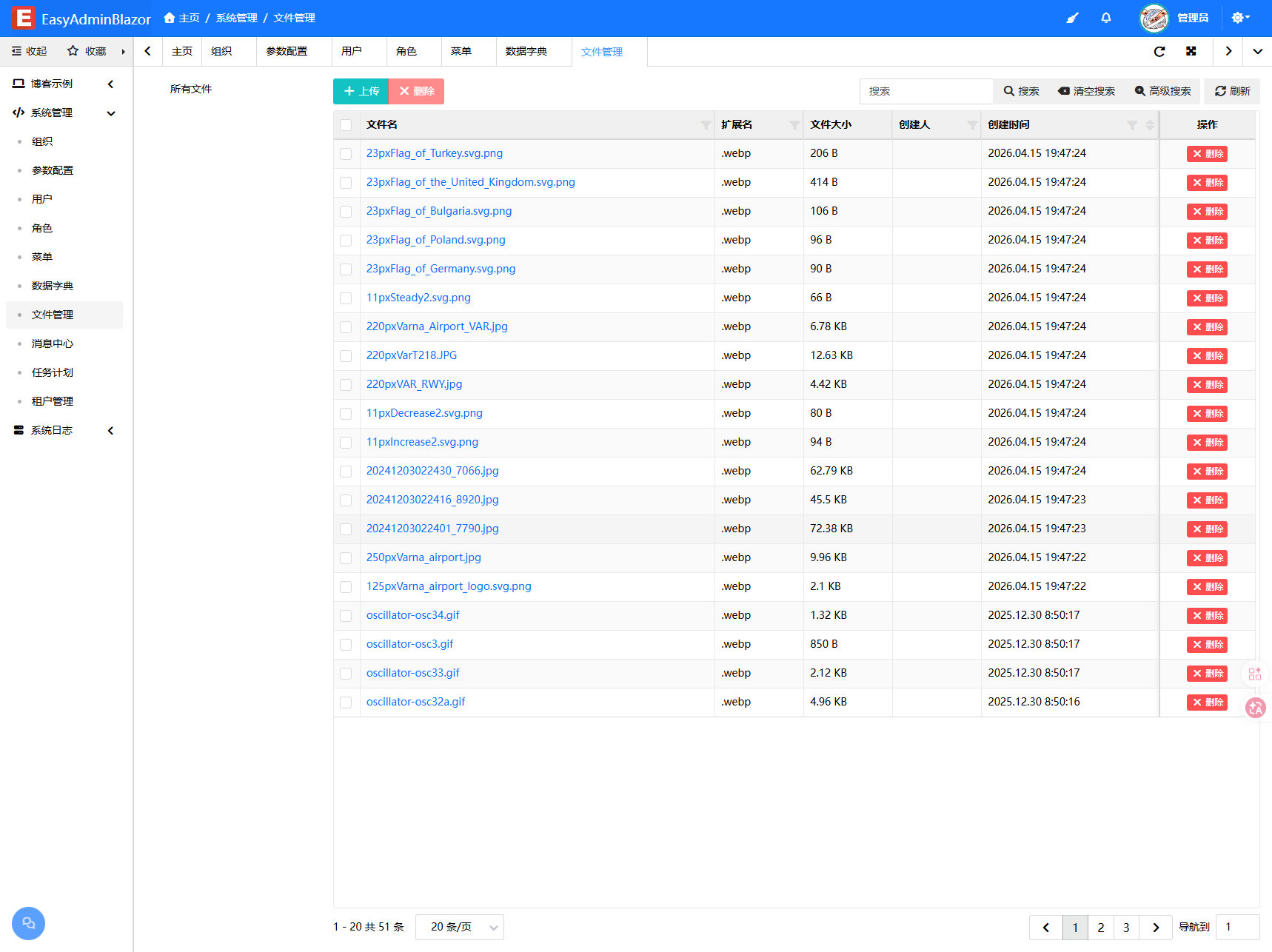
| File Management | Local upload/download, image compression/WebP conversion, and group management |
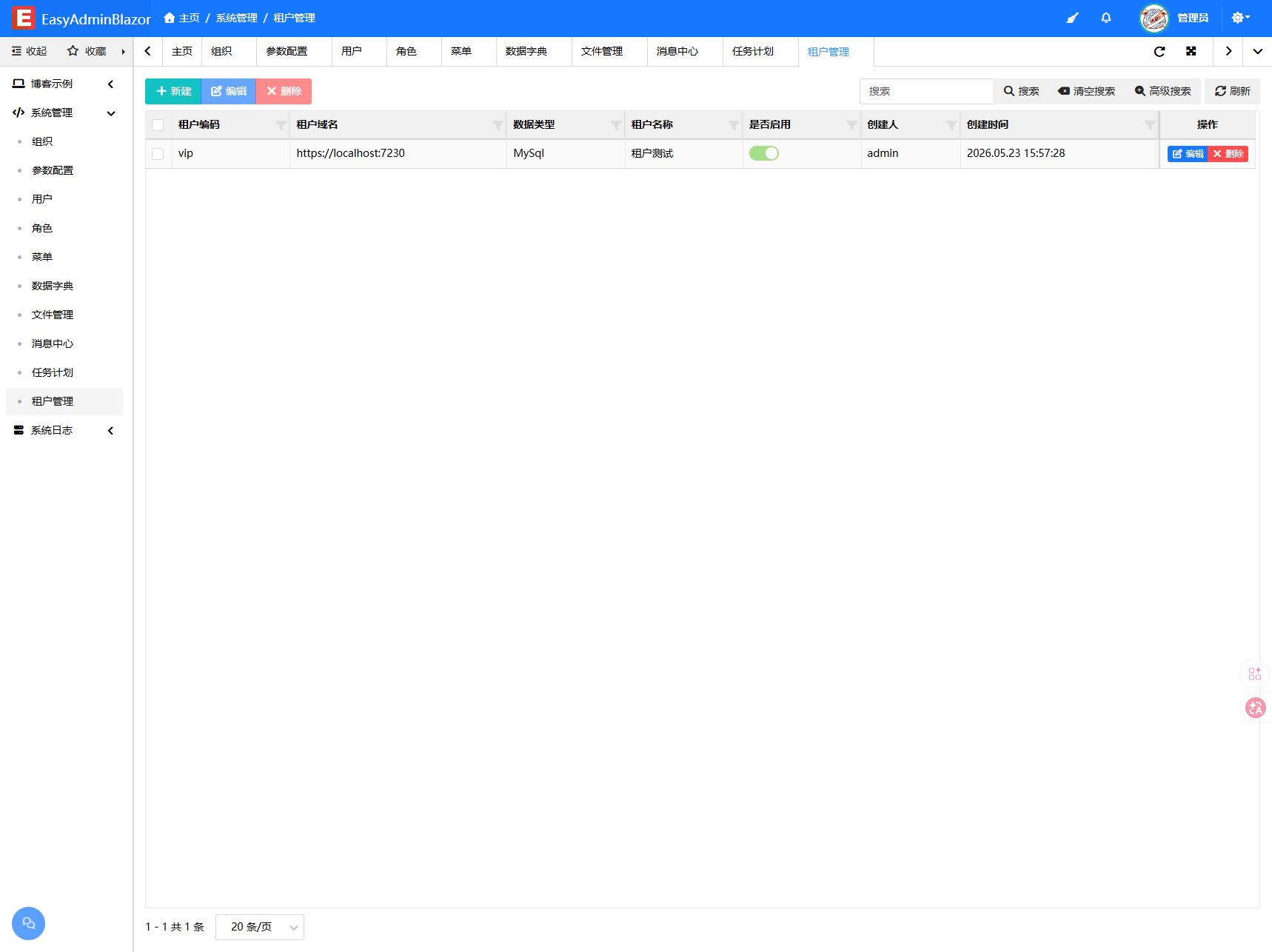
| Code Generator | Visually generate complete CRUD pages (local development environment only) |
| Visual Print Template Designer | Visually design print templates, integrate with AdminTable and print in one click |
| Message Center | In-app messages and system notifications |
| Recycle Bin | Restore soft-deleted records, bulk restore and permanent delete (with confirmation) |
| 🌐 Multi-Tenant (SaaS) | |
|---|---|
| Dedicated Database | Each tenant uses a dedicated database |
| Domain-based Resolution | Automatically identify tenants by request Host with zero-configuration switching |
| Menu Permission Isolation | Each tenant can independently assign feature menus |
| File Storage Isolation | Uploaded files are stored by tenant code directories |
| Cache & Lock Isolation | 内存缓存、Redis 键与分布式锁统一带 tenant:{code}: 前缀 |
🔌 Pluggable Extensions
SMTP / SendCloud / Tencent Cloud SES, with the provider selectable per call
Form Captcha
Redis cache/message persistence
Hybrid cache acceleration
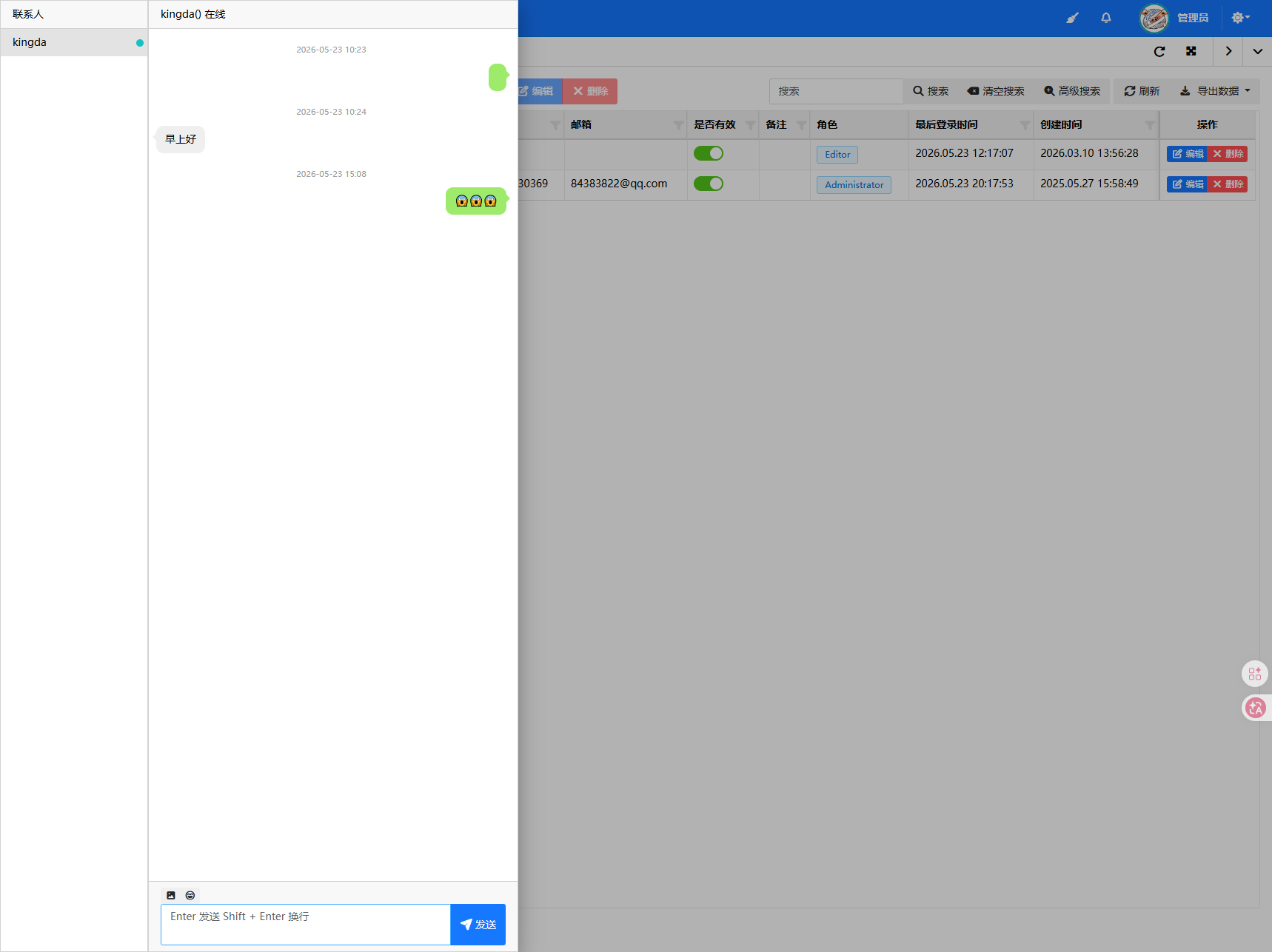
Real-time chat plugin
Multi-tenant support
Background task scheduling
TinyMCE rich text editor
WeChat Mini Program and WeChat Pay integration
Lightweight multi-level approval: state machine + approval records, countersign / reject / transfer
Online application upgrade: incremental packages, automatic rollback, no re-login required
Content types, categories, page elements, admin management and front-end tags
🛡️ Security Features
Screenshots
Real product screenshots — no mockups.
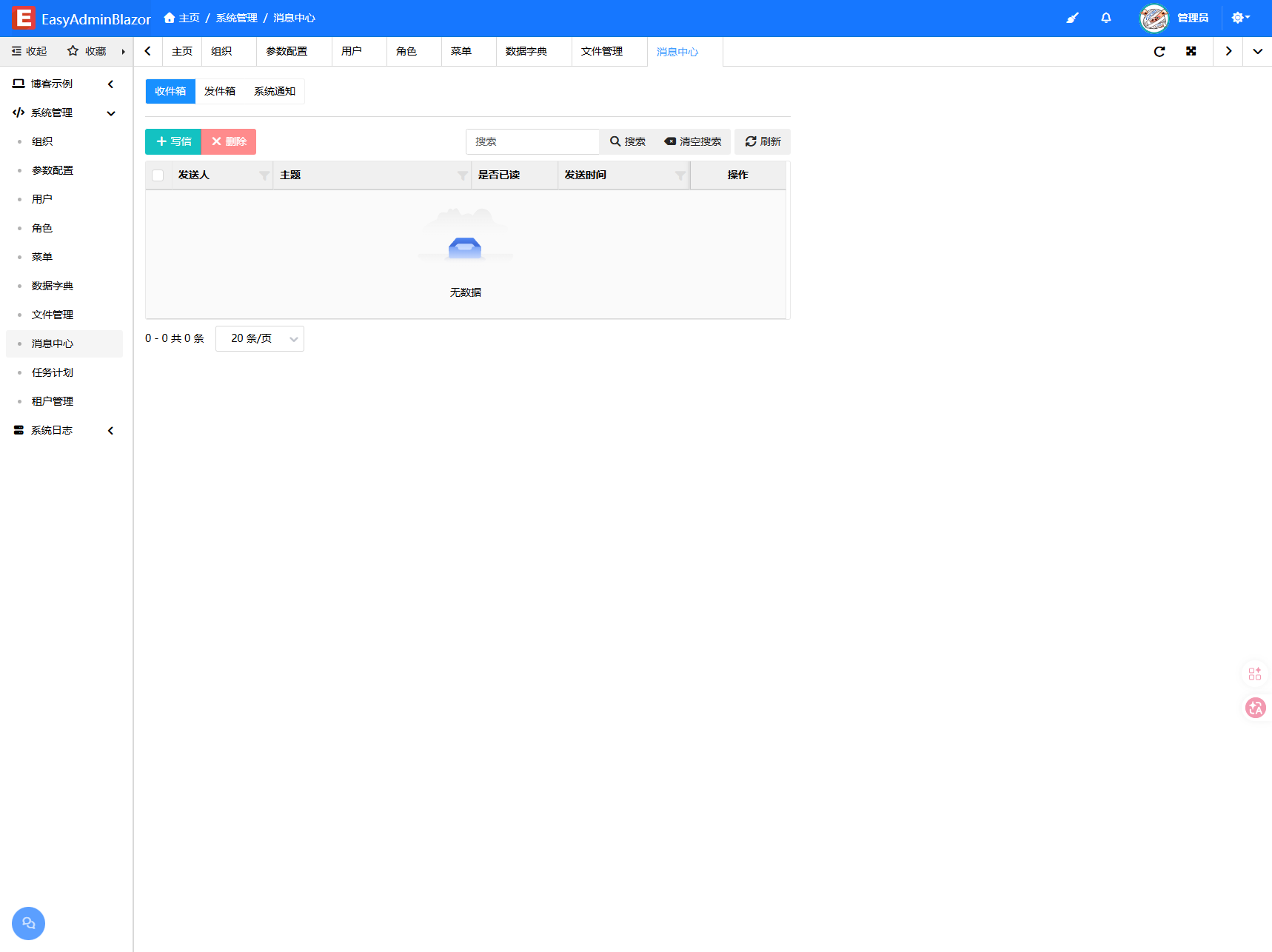
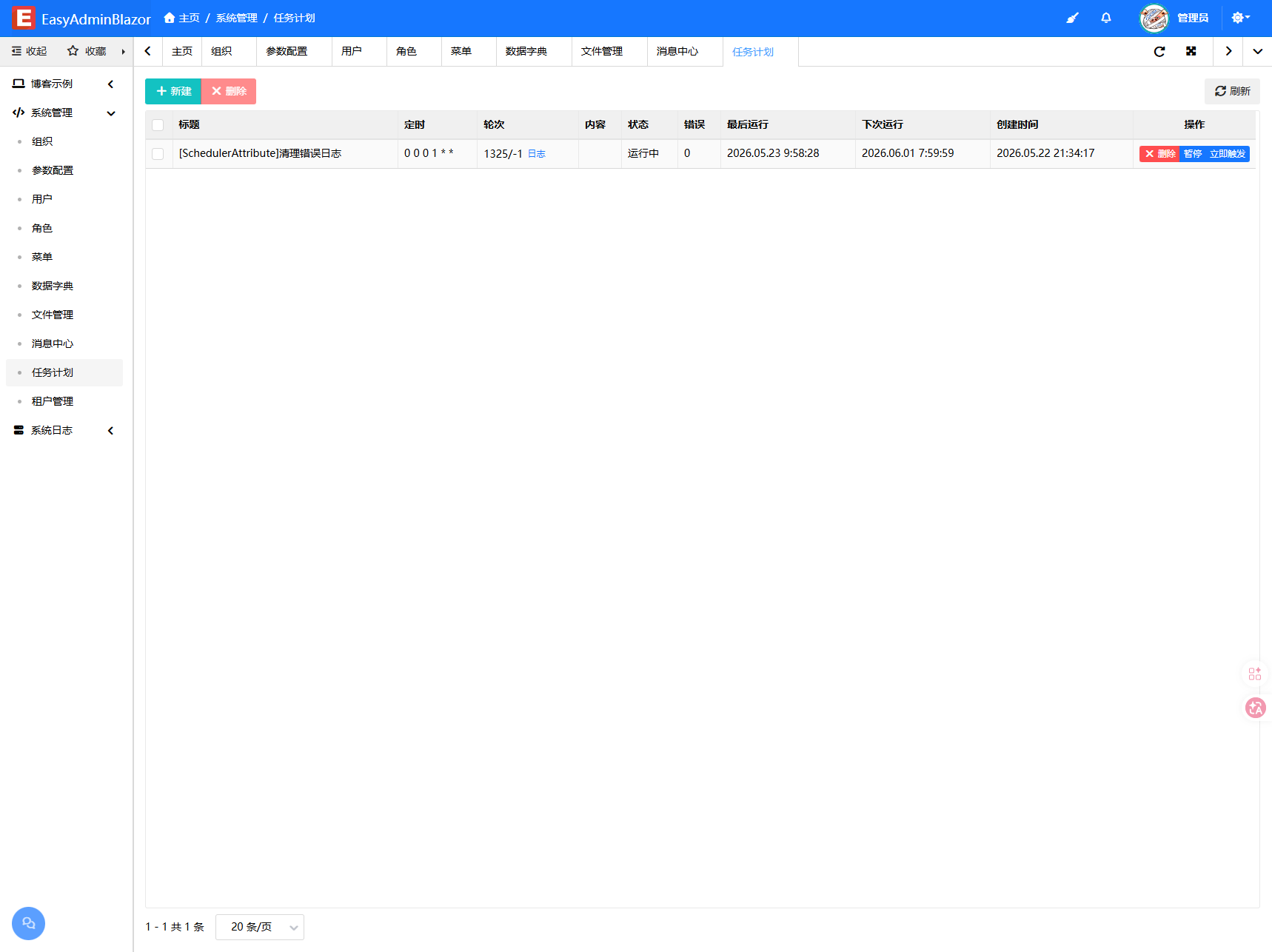
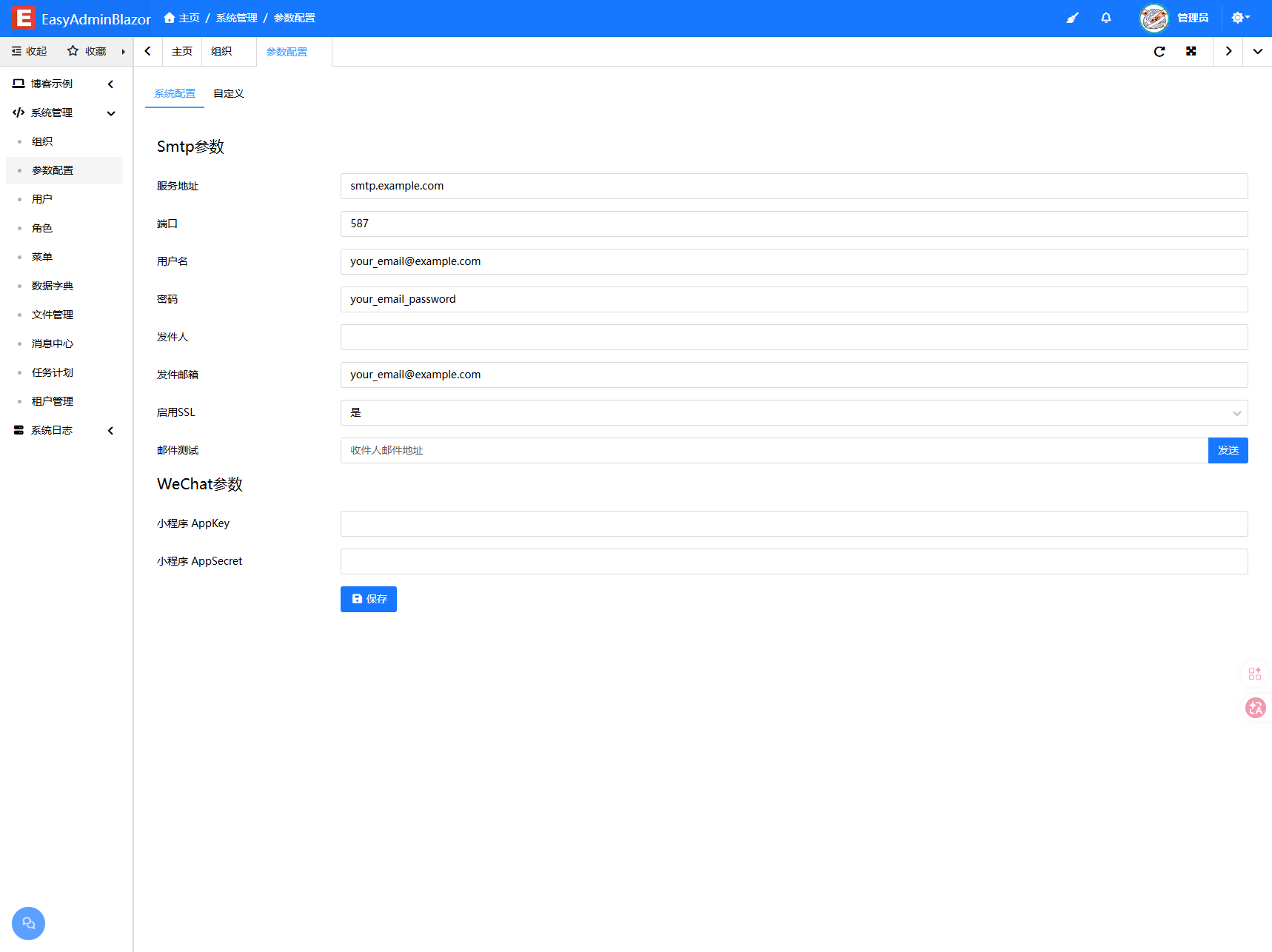
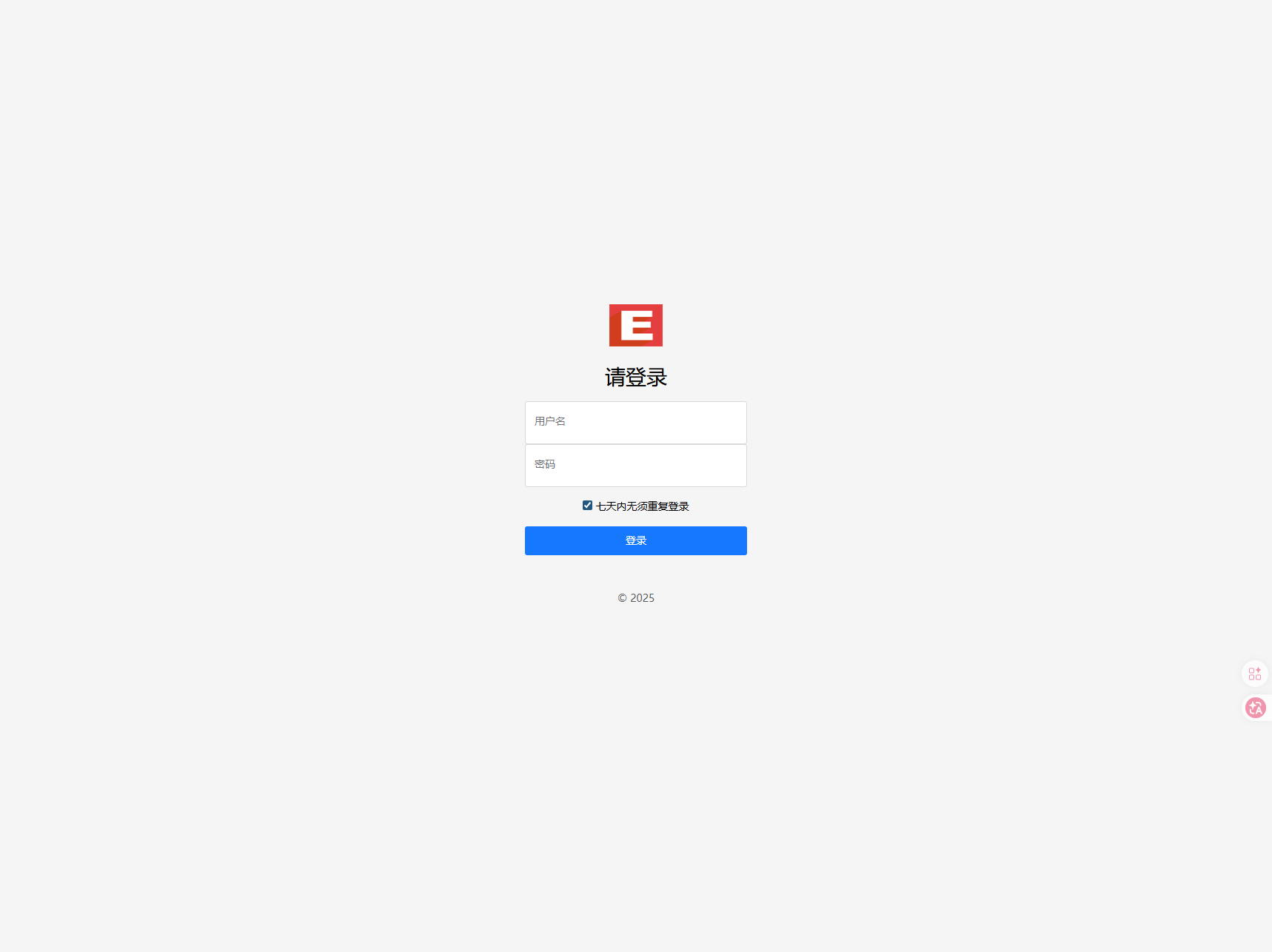
Tech stack
Continuously maintained — not a one-time delivery
The author keeps fixing issues, optimizing performance and adding features. Buyers keep receiving updates according to their package.
Buy once, reuse across projects
From source evaluation to freelance delivery — pick the package that fits.
Best for: learning, evaluation, and one-time projects
Community support (Issues / QQ group / email)
Best for freelance work and multi-project reuse: buy once, and stop rebuilding the backend for later projects.
Best for: enterprise projects and timely support needs
For enterprise projects and teams that want one year of one-on-one technical support from the author.
Buying FAQ
Is this the complete source code?
Yes. You receive the full core framework and all extension sources, unencrypted and modifiable.
Can I use it for commercial and outsourced projects?
Yes. The license agreement explicitly allows commercial, personal and outsourced projects.
Do I need Vue or React?
No. Blazor gives you full-stack C#, with no front-end/back-end split.
Is the author still maintaining it?
Yes. The current release is v2.6.2, and changelogs keep being published.